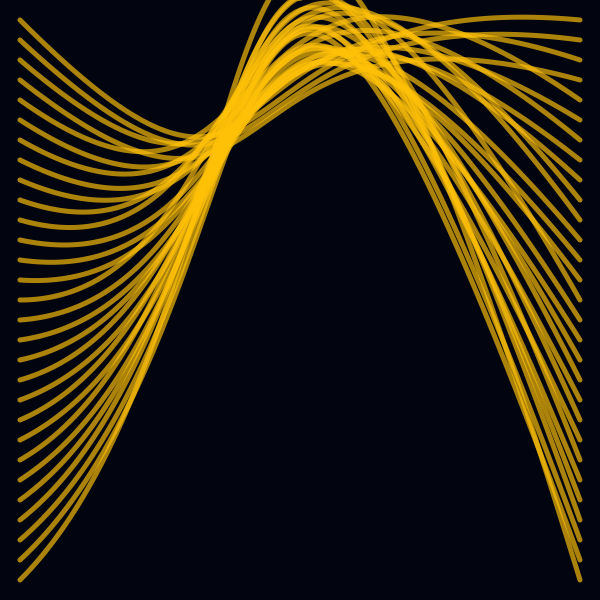
curve_bezier_cubic
Draw a cubic bezier
curve_bezier_cubic(
    x1,
    y1,
    cx1,
    cy1,
    cx2,
    cy2,
    x2,
    y2,
    [stroke=#000000],
    [fill=#FFFFFF],
    [weight=1.00],
    [draw=true]
)
Draw a cubic bezier
Syntaxe
curve_bezier_cubic(x1=10, y1=10, cx1=20, cy1=20, cx2=20, cy2=20, x2=40, y2=50, stroke="#000");
Arguments
| Name | Type | Required | Default | Description |
|---|---|---|---|---|
x1 | yes | - | x of first point | |
y1 | yes | - | y of first point | |
cx1 | yes | - | x of first control point | |
cy1 | yes | - | y of first control point | |
cx2 | yes | - | x of second control point | |
cy2 | yes | - | y of second control point | |
x2 | yes | - | x of second point | |
y2 | yes | - | y of second point | |
stroke | - | #000000 | Stroke color | |
fill | - | #FFFFFF | Fill color | |
weight | - | 1.00 | Stroke weight (thickness) | |
draw | - | true | If false, return a list of points, and don't draw (stroke, fill & weight are ignored) |
Full example
canvas(600, 600, "#020410");

stroke("FFC107AA");
fill("");
weight(5);

var step = 20 ;
for (var y=step; y<=height()-step;y+=step) {
    var x1 = step;
    var y1 = y;
    var x2 = width()-step;
    var y2 = y1;

    var cy = random( y-step*4, y+step*4);

    curve_bezier_cubic(
        x1=x1, y1=y1,
        cx1=width()/2, cy1=width()/2,
        cx2=width()/3, cy2=-cy,
        x2=x2, y2=y2
    );
}

save(whoami() + ".png");