quad
Draw a quadrilateral (four-sided polygon)
quad(
    x1,
    y1,
    x2,
    y2,
    x3,
    y3,
    x4,
    y4,
    [stroke=#000000],
    [fill=#FFFFFF],
    [weight=1.00]
)
Draw a quadrilateral (four-sided polygon)
Syntaxe
quad(x1=20, y1=50, x2=80, y2=30, x3=80, y3=70, x4=20, y4=120, stroke="#000000", fill="#FFA000", weight=4)
Arguments
| Name | Type | Required | Default | Description |
|---|---|---|---|---|
x1 | yes | - | x-coordinate of the first point | |
y1 | yes | - | y-coordinate of the first point | |
x2 | yes | - | x-coordinate of the second point | |
y2 | yes | - | y-coordinate of the second point | |
x3 | yes | - | x-coordinate of the third point | |
y3 | yes | - | y-coordinate of the third point | |
x4 | yes | - | x-coordinate of the fourth point | |
y4 | yes | - | y-coordinate of the fourth point | |
stroke | - | #000000 | Stroke color | |
fill | - | #FFFFFF | Fill color | |
weight | - | 1.00 | Stroke weight (thickness) |
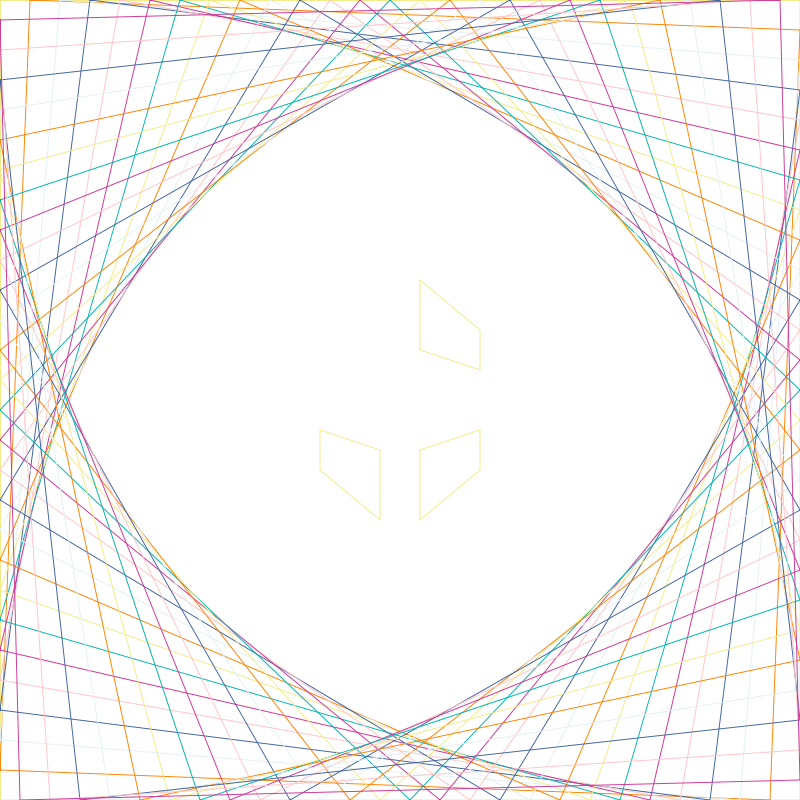
Full example
var palette =[
    "#f2eb8a", "#fed000", "#fc8405", "#ed361a", "#e2f0f3",
    "#b3dce0", "#4464a1", "#203051", "#ffc5c7", "#f398c3",
    "#cf3895", "#6d358a", "#06b4b0", "#4b8a5f"
];

canvas(800,800,  "#1b1c16");


var steps = 30  ;
for (var i = 0; i < width(); i+=steps) {
    stroke( palette[ i % palette.length ]);
    quad(
        0, height() - i,
        i, 0,
        width(), i,
        width() - i, height(),
        fill="transparent",
        weight=2
    );
}

coord_center();

fill(palette[1]);

quad(x1=-20, y1=50, x2=-80, y2=30, x3=-80, y3=70, x4=-20, y4=120);

quad(20,50, 80,30, 80,70, 20,120);


save(whoami(png=true));